
AI consulting for small business, from the person who builds it.
I’m Dan. I help small businesses put AI and custom software to work on the jobs that eat their week, like retyping orders, chasing leads and answering the same question forty times. You tell me where the hours go. I figure out what’s worth building, and then I build it.
Based in Caddo Mills, east of Dallas. In person across DFW, remote everywhere else. AI consulting in Dallas
Three places it earns its keep.
What most small businesses want from AI is simple: fewer things typed twice. These are the jobs where it tends to pay for itself.
The questions you answer all day
Hours, prices, “do you service my area.” AI can draft those replies from your own information, and you decide whether a person approves each one before it goes out.
Paperwork that gets typed twice
An order arrives as an email, a PDF or a photo of a form, and somebody retypes it. AI is good at reading those and filling in the record, so your staff only check it.
Your own records, safely connected
An assistant is only useful if it can see your data. I build the connection with keys you can switch off, read-only where reading is all it needs, and a log of every change it makes.
And plenty of jobs are better served by a simple form and a database. When yours is one of them, I’ll tell you, because it costs less to build and less to run.
Software that fits the way you already work.
Some of it uses AI and a lot of it doesn’t. Where I’ve built one before, the card says so. Looking for more detail? There’s a page on custom software, one on custom CRMs and one on online ordering.
Custom CRMs
One place for your customers, jobs, quotes and invoices, laid out the way your business already runs.
I run my own business on a CRM I wrote.Online ordering
Ordering or checkout on your own website, so the people who already know your name can buy from you directly.
Dallas Sparklers sells through a checkout I built.Mobile and tablet apps
Apps for the phone in a pocket, the tablet on a counter or the TV on the wall.
Menu Display is my Android app for restaurant TVs.Desktop apps for Mac and PC
Software that installs on the office computer, for work that shouldn’t depend on a browser tab or a good connection.
Web apps
Tools that run in a browser, with nothing to install and nothing to update.
Cuttify and Pressify are two of mine. Both are free to use.Service scheduling
Booking that lands on the calendar your front desk already has open.
Nevada Lube Xpress and North Garland Dentistry both take bookings online.Custom dashboards
Your leads, orders or numbers on one private page that only you can open.
Dallas Truck Buyer reads every seller’s submission on its own dashboard.Something that isn’t on this list?
Ask anyway. Some of my favorite projects started as “is this even possible?”
Five products of my own.
I built these because I wanted them to exist. Four of the five are live today, and three of those are free for anyone to use.
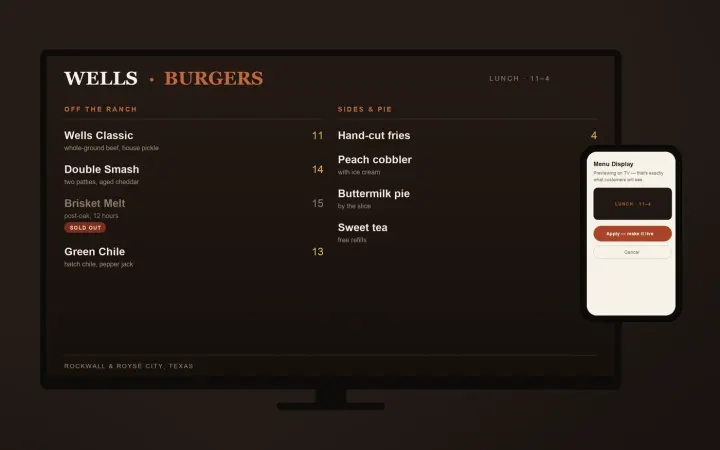 Live · in restaurants
The menu board a restaurant owner can change from a phone.
A box behind the TV plays your menu off its own storage. A page on your phone swaps it in about a minute: press OK on the remote, scan the QR code, send the picture. Lose your internet mid-service and the board never notices, because the network was never in the display path to begin with.
danhorntx.com/menu-display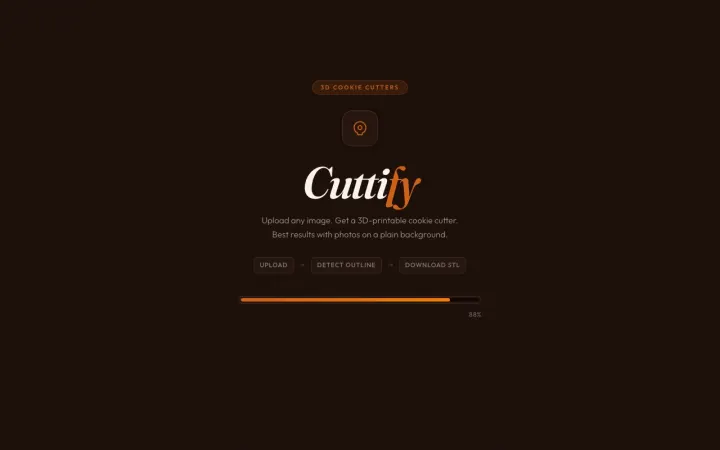 Live · free
Upload any image. Get a printable cookie cutter.
Upload a photo, get a cookie cutter you can print. Outline detection happens automatically and the whole thing runs in the browser, so no design skills, no software, and nothing you upload ever leaves your laptop.
cuttify.app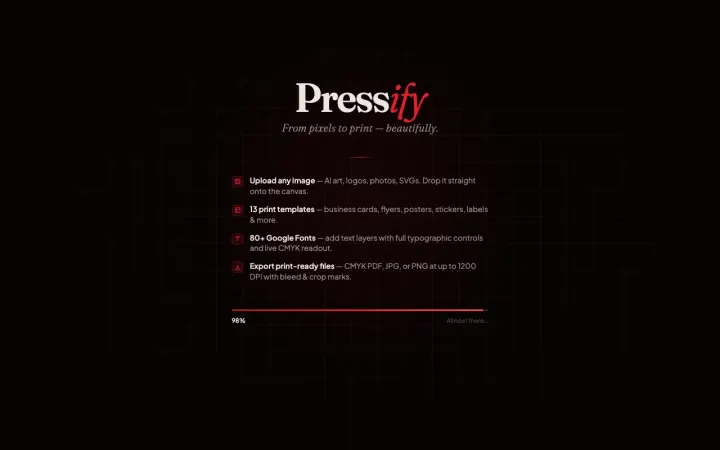 Live · free
Gets your logo out of Canva and into a printer.
Turns an image or a logo into a file a print shop will accept. Eighty fonts, live CMYK preview, bleed and crop marks, 1200 DPI. Runs entirely on your machine.
pressifyapp.com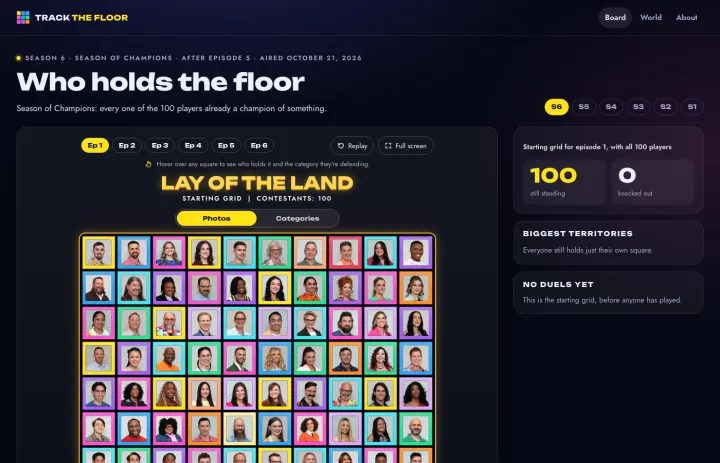 Live · free
Every square of The Floor, replayed one episode at a time.
It started as a board so fans could follow a friend on Season 6 of The Floor, then got its own address. All 100 players, every duel in order, the biggest territories, and six seasons to pick from. Winners stay hidden until you step through each episode yourself.
trackthefloor.com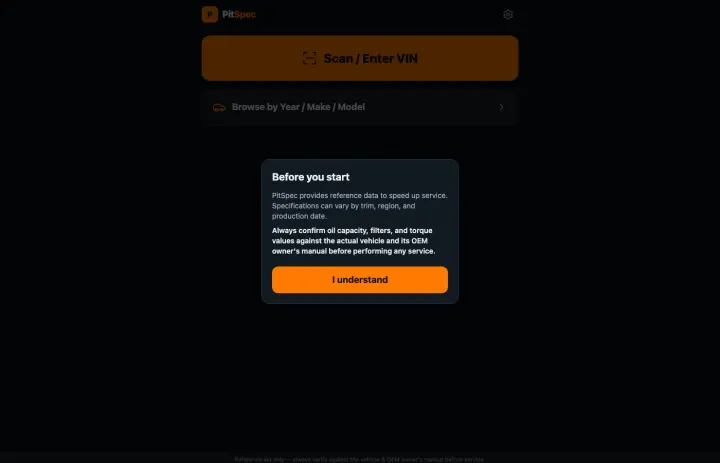 Building now
Scan a VIN, get the right spec, get back under the car.
Scan a VIN, get the specs. Fluid capacities, torque values, filter sizes, straight from the manufacturer. Built for a phone that lives on a shop floor and gets dropped a lot.
pitspec.appAnd the CRM I run my own business on.
Clients, invoices, tickets and a private portal for each client. It also has a door for AI: an assistant can read and update client records through keys I can limit to read-only or switch off, and every change it makes is logged.
How the CRM worksI run on software I wrote.
When I needed a CRM, I built one. I use it for my own clients, invoices and leads, which is the fastest way I know to find out what a small business needs from its software.
A portal for every client
Each client signs in to their own page to see invoices, open tickets and the short list of things I’m waiting on from them.
Invites without shared passwords
A client gets a single-use link and picks their own password. I never see it.
Invoices with a pay button
Invoices show up in the client’s portal with a Pay with PayPal button beside each one.
Leads that get followed up
Every enquiry from my website becomes a lead and gets a short run of plain check-in emails, sent during business hours. It stops once the person signs on or unsubscribes.
Saved logins, locked up
Client logins are stored encrypted, hidden until I ask to see one, and every viewing is logged.
Backed up every night
The whole database is copied nightly and a month of copies is kept.
Tools that live inside real businesses.
Each of these is running today on a client’s own website. Follow the link and try it.
A VIN lookup and a private dashboard
A seller types in a VIN and the site fills in the year, make and model. They add phone photos, and it all lands on the owner’s own dashboard so he can call back with a number.
Dallas Truck Buyer by Texas MotorcarsOrders, quotes and a calendar in one admin
Every custom cookie order starts as a conversation. The intake, the quote pipeline and the calendar now live in one place the baker runs herself.
Sugar Pops custom cookiesA catering form that does the math
Four steps, and the estimated total updates as the customer goes. The staff also got a menu editor with a log of every change and who made it.
Colter’s Texas Bar-B-Q websiteA 3D pit builder
A buyer builds a smoker in 3D, picks racks and paint, and asks for a quote on that exact setup.
M&M BBQ CompanyLive availability, synced every night
Every unit, what it costs and whether it’s open, pulled each night from the system the park runs on. Tour requests land in the leasing pipeline.
Triple C Business ParkAn admin the owner runs herself
Ranch visits, calf listings, a merch shop and wedding rentals, all managed from one admin. Every form is saved before it’s emailed, so no enquiry goes missing.
Tesch Hillside RanchFour steps, and no surprises on the bill.
-
We talk it through
A call, or a coffee if you’re nearby. You show me the spreadsheet, the sticky notes or the three apps that don’t talk to each other. It’s free, and I’ll tell you if I’m the wrong fit.
-
You get a plan and a price
I write down what I’d build, what I’d leave alone, and what it costs. One number for the project, agreed before any work starts.
-
I build it where you can see it
You get a private link early and click through the real thing as it comes together. Changing your mind is cheap at this stage, so say so.
-
It goes live, and I stay
I show you and your staff how to use it, then I’m a phone call away. The same person who wrote it fixes it.
Priced per project, after we talk.
There’s no price list on this page, and that’s on purpose. A booking page for a two-chair shop and a CRM for a company with thirty trucks are very different amounts of work. Any number I printed here would be wrong for most of the people reading it.
So we talk first, and that part is free. Then I write down what I’d build and give you one price for the project. You decide with the number in front of you.
My website plans do have set prices, and they’re all on the pricing page.
Tell me where the hours go.
A few lines is plenty. This comes straight to my phone, and I usually reply within minutes on a weekday.
- I read every message myself.
- The first conversation is free.
- You get a written price before any work starts.
Call or text if that’s easier. I answer my own phone.
Questions about AI consulting
I look at how your work gets done today and find the parts a computer could carry. Sometimes that’s AI reading orders or drafting replies. Often it’s plain software, like a booking page or a place to keep your customers. Then I build it myself, so the advice and the work come from the same person.
It depends on what you need, so I quote each project after we’ve talked. The first conversation is free. You get one written price for the project before any work starts, and nothing is billed until you’ve agreed to it.
Maybe not, and I’ll say so. Plenty of jobs are best handled by a simple form and a database, which cost less to build and to run. AI is worth it when the work involves reading, writing or sorting things that arrive in a different shape every time.
If you’re in Dallas-Fort Worth or North Texas, yes. I’m in Caddo Mills, east of Dallas, and I’m glad to come to your shop or office. Everywhere else I work by phone and screen share, which suits this kind of project well.
Usually. Several of my client sites connect to a system the business already had, such as Booksy and Square for bookings, an MLS feed for real estate listings, and the leasing software a business park runs on. I’ll check what yours can connect to before I quote anything.
I stay with it. I can host it, keep it backed up and make changes as your business changes. When something needs fixing you call me, and I’m the person who wrote it.